Page 1 of 1
colourising b/w photos with AI
Posted: Tue Jul 21, 2026 12:50 pm
by ge_rik
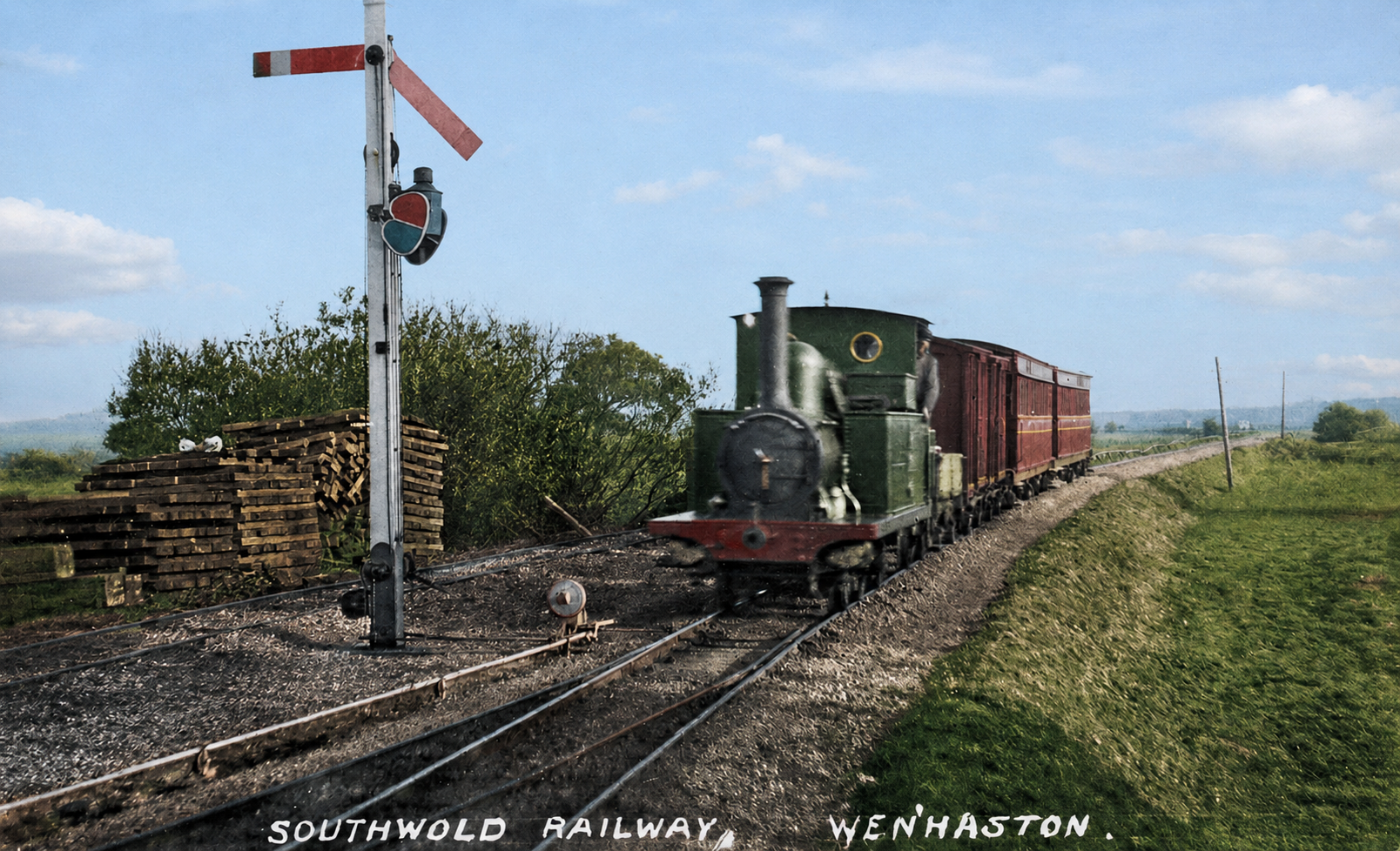
I've been playing around with getting ChatGPT to colourise some Southwold Railway photos.
Eg

- swatwenhaston-1.jpg (455.75 KiB) Viewed 13368 times
- file_00000000ab2481f4a33d85101da737a5.png (2.7 MiB) Viewed 13368 times
Rik
Re: colourising b/w photos with AI
Posted: Tue Jul 21, 2026 12:52 pm
by ge_rik
I had to tell it that the loco should be GER blue

- file_0000000033f481f4a54193b5ba8d4eb6.png (2.72 MiB) Viewed 13366 times
And then tell it to remove the GER lettering

- file_000000006b1881f4a51cdb3c13cff450.png (2.66 MiB) Viewed 13366 times
Interesting it's also removed the caption from the original postcard
Rik
Re: colourising b/w photos with AI
Posted: Tue Jul 21, 2026 1:29 pm
by ge_rik
- file_000000005f4082469e63f7a9c3dd233e.png (2.7 MiB) Viewed 13359 times
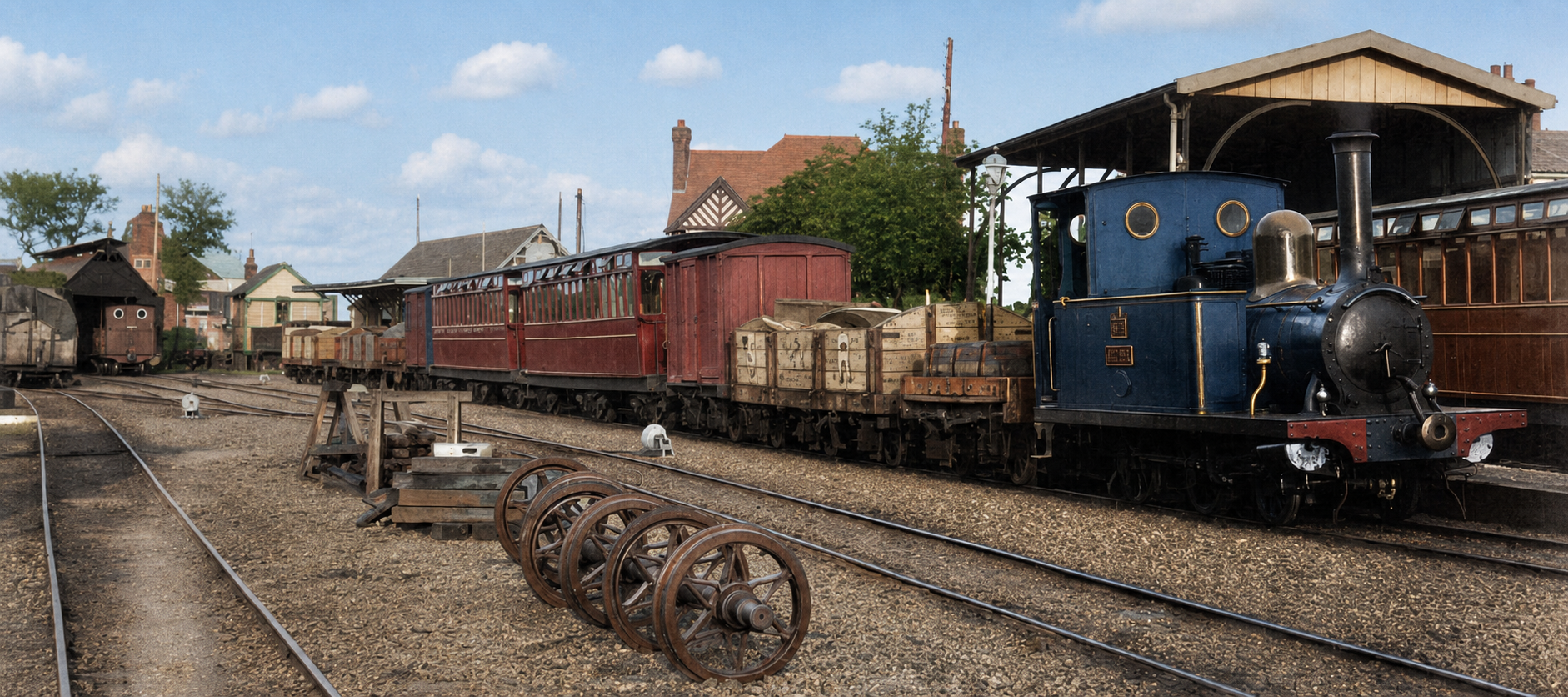
I wanted to change the colour of the loco in the shed but I've now exceeded my daily limit for the freebie processing
Rik
Re: colourising b/w photos with AI
Posted: Tue Jul 21, 2026 4:15 pm
by philipy
Looks good Rik. I did some playing with colourising back when I built the Chingford contractors loco, it wasn't bad but I think things have moved on since then. I actually used the colourising feature of "Find My Past" for that, which was the only easily available one at the time.
I notice on your first set of pictures that it has actually coloured the "green" spectacle in blue, which is of course correct but it could easily have missed that one!
Re: colourising b/w photos with AI
Posted: Wed Jul 22, 2026 6:46 am
by drewzero1
Looks good Rik, and that charming blue engine sure does look familiar in color

I have occasionally seen anachronisms in AI-colorized works, probably due to modern biases in the training data. Stuff like coloring pants as blue jeans before they were commonly available. Just something to watch out for!
Re: colourising b/w photos with AI
Posted: Wed Jul 22, 2026 7:37 am
by ge_rik
philipy wrote: Tue Jul 21, 2026 4:15 pm
I notice on your first set of pictures that it has actually coloured the "green" spectacle in blue, which is of course correct but it could easily have missed that one!
Yes, I spotted that.
But I've also just noticed that the spectacle on the far side of the signal ought to be showing green to the train. Clearly, some maintenance is needed. I must have looked at his picture dozens of times and never spotted it.
Rik
Re: colourising b/w photos with AI
Posted: Wed Jul 22, 2026 7:47 am
by ge_rik
It let me have another go this morning so I asked it to colour the loco in the shed. Interesting result.

- file_00000000251081f480388e37c67d4787.png (2.71 MiB) Viewed 13285 times
However, when I asked it to colour the face of the driver, it told me I'd reached my limit again and will have to wait five hours.
Rik
Re: colourising b/w photos with AI
Posted: Wed Jul 22, 2026 8:01 am
by philipy
ge_rik wrote: Wed Jul 22, 2026 7:47 am
However, when I asked it to colour the face of the driver, it told me I'd reached my limit again and will have to wait five hours.
I had that problem with Google Gemini when we first got involved with creating figures with Gemini and Meshy. I think its something to do with how they work, so if you ask it a question, or to do something, on a long or complicated thread, it has to reconstruct the entire sequence from the beginning to add to it. It may help, once you get back in, to save that picture, then start a new chat and load the picture back in and simply ask it to colourise the drivers face. No guarantees but doing that has helped me in the past.
Re: colourising b/w photos with AI
Posted: Mon Jul 27, 2026 8:59 am
by Paul_in_Ricky
philipy wrote: Wed Jul 22, 2026 8:01 amI think its something to do with how they work, so if you ask it a question, or to do something, on a long or complicated thread, it has to reconstruct the entire sequence from the beginning to add to it.
It's simply rationing your (free) use of the AI engine. If you were paying for access you'd continue and be using up your credit instead.
I'm not entirely convinced about recolouring old photos, ultimately it's just fantasy colours. Possibly worse is that in future it may be taken as authentic without an AI tag, with the added problem that when AI recolours an image it often makes other changes to the content as well as just colour.
Re: colourising b/w photos with AI
Posted: Mon Jul 27, 2026 9:51 am
by philipy
Paul_in_Ricky wrote: Mon Jul 27, 2026 8:59 am
It's simply rationing your (free) use of the AI engine. If you were paying for access you'd continue and be using up your credit instead.
No, that is different.
I had a couple of instances a while back with a chat that went on over several days and got mega long and it was taking forever to respond. When I asked it why it said it was to do with the length and suggested I start a new chat. I asked how it would know where to continue and it gave me the wording for a new chat that would give it the essence of what had gone before. I tried that and the speed went back to what it had been initially. The only downside was that it had forgotten, or not recognised, some of the earlier stuff in the original chat and I did have to remind it of salient points from time to time.
Re: colourising b/w photos with AI
Posted: Mon Jul 27, 2026 11:08 am
by Paul_in_Ricky
philipy wrote: Mon Jul 27, 2026 9:51 amNo, that is different.
No, you're mixing up why responses get slow from why you get stopped dead and asked to wait hours for the next step. That's rationing.
Quite often 'chats' get bogged down as the AI makes mistakes, you correct/refine it's answer and it starts going round in circles. At that point you're better off just starting a new 'chat' to get the AI to start from scratch again.
Re: colourising b/w photos with AI
Posted: Mon Jul 27, 2026 2:57 pm
by ge_rik
Paul_in_Ricky wrote: Mon Jul 27, 2026 8:59 am
...... the added problem [is] that when AI recolours an image it often makes other changes to the content as well as just colour.
I noticed this. In addition to turning the loco around in the shed, it added an extra chimney to the roof of the cab. When I asked it to correct this and also to colour in the face of the driver in the nearest loco, it removed the original driver completely and added a driver which, to my mind, resembles JD Vance ...... It also removed the chimney of the foreground loco and changed the background loco into something weird. It's clearly trying to be too clever.

- file_00000000922c81f480cd9cd9c293cb38.png (2.77 MiB) Viewed 11500 times
Rik
Re: colourising b/w photos with AI
Posted: Mon Jul 27, 2026 3:00 pm
by ge_rik
It begs the question, when they use AI to target munitions in a war situation, will it actually do as it's told, or will it try to be too clever ......
Rik
Re: colourising b/w photos with AI
Posted: Mon Jul 27, 2026 3:39 pm
by Paul_in_Ricky
ge_rik wrote: Mon Jul 27, 2026 2:57 pmIt's clearly trying to be too clever.
I think the expression you're looking for is AI Slop
It begs the question, when they use AI to target munitions in a war situation, will it actually do as it's told, or will it try to be too clever ......
The sort of dedicated AI used for 'serious' applications is a different beast from what the casual consumer gets to play with.
Re: colourising b/w photos with AI
Posted: Fri Aug 14, 2026 12:39 pm
by Old Man Aaron
Paul_in_Ricky wrote: Mon Jul 27, 2026 8:59 am
Possibly worse is that in future it may be taken as authentic without an AI tag, with the added problem that when AI recolours an image it often makes other changes to the content as well as just colour.
Taking a moment to sound like the armchair preservationist brigade, but the way some historical societies are run, AI would make it so very easy to lead them astray on livery - or to correct them.
Re: colourising b/w photos with AI
Posted: Fri Aug 14, 2026 12:49 pm
by Old Man Aaron
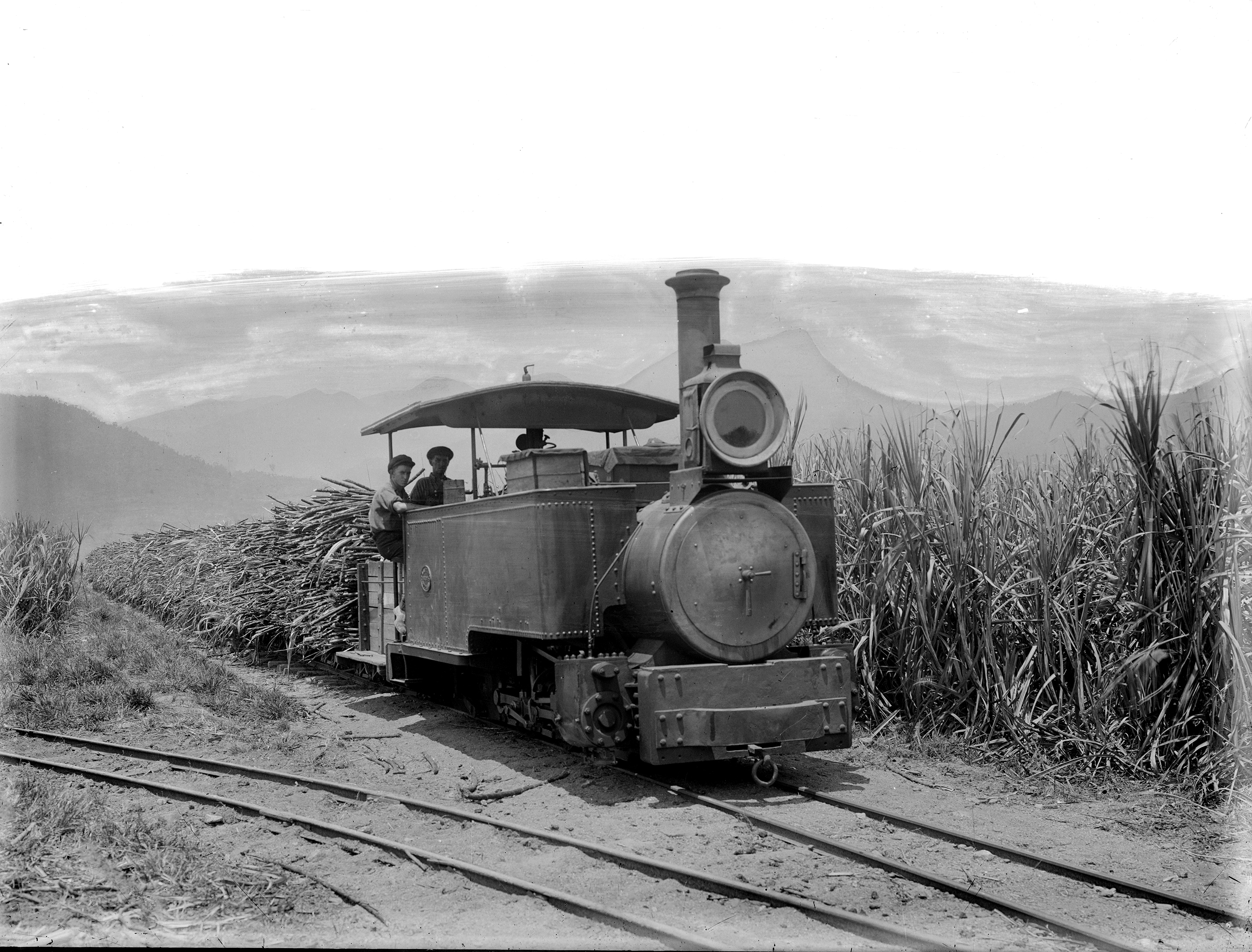
Before I saw this thread today, I was mucking around again with some colourisers last night. Amazingly, I didn't ask the droid to fix the damaged sky, it just did that.
Can't say I know what livery this Fowler wore (or where it worked, the photo is from my inspiration folder for
"the big layout") but when I
do know how the paintwork should come out, I notice all AIs struggle to get locomotives right.
- 51294010389_4796d13127_o.jpg (3.02 MiB) Viewed 9081 times

- 51294010389_4796d13127_o-buttheskyisfixedholyfucc.jpg (1.51 MiB) Viewed 9081 times
Certainly a fun tool to play with, and it really brings a scene back to life.
Re: colourising b/w photos with AI
Posted: Fri Aug 14, 2026 1:09 pm
by philipy
No idea what colour it should be either, but to my eye it looks totally believable. Sky is good too, as you say.
Re: colourising b/w photos with AI
Posted: Sat Aug 15, 2026 7:47 am
by ge_rik
It's remarkable how it figured out the difference between mountains and sky. I struggled to make sense of it. I actually had to refer to the AI image to draw the distinction between them in the original photo.
Rik
Re: colourising b/w photos with AI
Posted: Sun Aug 16, 2026 10:00 am
by Paul_in_Ricky
ge_rik wrote: Sat Aug 15, 2026 7:47 amIt's remarkable how it figured out the difference between mountains and sky.
Automated masking for photos has been around for quite a long time now. Adobe Lightroom added 'AI' mask creation for skies back in 2021.
It occasionally gets it wrong, but generally it's very good indeed.