Pin Out Connections to Bachmann Mallet Motherboard?
- David P
- Cleaner

- Posts: 35
- Joined: Sat May 25, 2024 1:40 am
- Location: Melbourne, Australia
Pin Out Connections to Bachmann Mallet Motherboard?
Hi all,
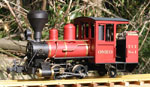
I'm converting a Bachmann Fn3 Mallet to battery power with radio control.
I've got it working on the bench with a CVP Airwire CONVRTR-60X receiver and an ESU LokSound 5XL decoder (sound and motors) - lights, etc. have not been tested yet as the tanks are off during the setup process (and awaiting a custom battery to fit inside - but that's another story).
I've chosen this combination as it is running successfully in the 3-truck Shay I posted elsewhere and I use LokSound in both this scale and my 1:48 work due to the ability to customise the sounds (the Mallet is running ESU's mallet sound file but with different whistles as I didn't like those in the factory file).
I'm wondering if someone can advise me what the various Auxiliary connections on the Bachmann G828X DCC Adaptor Board make with the motherboard of the loco? ( Smoke, cab light, firebox flicker, etc. ?)
Maybe I have missed this on the forum but as Bachmann's documentation (and wire colour coding) leaves a lot to be desired I'd be grateful for some help.
Not essential as I can work through it by trial and error but it could save me quite some amount of time - once I know all of the connections I will post a PDF spreadsheet for others who wish to go down this path.
Any assistance would be greatly received.
I'm converting a Bachmann Fn3 Mallet to battery power with radio control.
I've got it working on the bench with a CVP Airwire CONVRTR-60X receiver and an ESU LokSound 5XL decoder (sound and motors) - lights, etc. have not been tested yet as the tanks are off during the setup process (and awaiting a custom battery to fit inside - but that's another story).
I've chosen this combination as it is running successfully in the 3-truck Shay I posted elsewhere and I use LokSound in both this scale and my 1:48 work due to the ability to customise the sounds (the Mallet is running ESU's mallet sound file but with different whistles as I didn't like those in the factory file).
I'm wondering if someone can advise me what the various Auxiliary connections on the Bachmann G828X DCC Adaptor Board make with the motherboard of the loco? ( Smoke, cab light, firebox flicker, etc. ?)
Maybe I have missed this on the forum but as Bachmann's documentation (and wire colour coding) leaves a lot to be desired I'd be grateful for some help.
Not essential as I can work through it by trial and error but it could save me quite some amount of time - once I know all of the connections I will post a PDF spreadsheet for others who wish to go down this path.
Any assistance would be greatly received.
Regards,
David Price
Melbourne, Australia
David Price
Melbourne, Australia
- ge_rik
- Administrator

- Posts: 7757
- Joined: Sun Oct 25, 2009 10:20 pm
- Location: Cheshire
- Contact:
Re: Pin Out Connections to Bachmann Mallet Motherboard?
Can't help, I'm afraid, but it looks like quite a daunting project.
Good luck.
Rik
Good luck.
Rik
- GTB
- Driver

- Posts: 1690
- Joined: Sat Mar 05, 2011 2:46 pm
- Location: Australia
Re: Pin Out Connections to Bachmann Mallet Motherboard?
The late Tony Walsham used to have a lot of rc battery conversions on his website. The original website has gone but much of the info can still be accessed in the 'Wayback Machine'.
https://web.archive.org/web/20240000000000*/rcs-rc.com
He also posted his conversions on US discussion groups. You might be able to find something on the 'Large Scale Central' and 'My Large Scale' sites.
Graeme
- David P
- Cleaner

- Posts: 35
- Joined: Sat May 25, 2024 1:40 am
- Location: Melbourne, Australia
Re: Pin Out Connections to Bachmann Mallet Motherboard?
Thanks for the reply Graeme,
I've seen many of Tony's posts but they mostly seem to relate to removing original motherboards and using his RC gear - my Shay was fairly straightforward in the sense that the previous owner(s) had ripped out (literally) the Bachman boards and the track connections.
I've done quite a few DCC installations into DC only locomotives in my 1:48 work but would prefer to not pull out the board in the Mallet if I don't have to - figuring out what Bachmann's Aux pin settings on this board is the key issue here.
(There was an article on some of my 1:48 work in Narrow Lines #257 - my scene on the cover).
I have posted this on those sites you mention as well as RM Web in the hope that someone may have figured this out previously.
Regards,
I've seen many of Tony's posts but they mostly seem to relate to removing original motherboards and using his RC gear - my Shay was fairly straightforward in the sense that the previous owner(s) had ripped out (literally) the Bachman boards and the track connections.
I've done quite a few DCC installations into DC only locomotives in my 1:48 work but would prefer to not pull out the board in the Mallet if I don't have to - figuring out what Bachmann's Aux pin settings on this board is the key issue here.
(There was an article on some of my 1:48 work in Narrow Lines #257 - my scene on the cover).
I have posted this on those sites you mention as well as RM Web in the hope that someone may have figured this out previously.
Regards,
Regards,
David Price
Melbourne, Australia
David Price
Melbourne, Australia
- David P
- Cleaner

- Posts: 35
- Joined: Sat May 25, 2024 1:40 am
- Location: Melbourne, Australia
Re: Pin Out Connections to Bachmann Mallet Motherboard?
Hi Rik,
not daunting - just a bit frustrating and time consuming courtesy of the lack of proper documentation by Bachmann,
The conversion is usable in its present state but I would like the Aux functions such as cab light, smoke, etc. to be controllable under DCC via radio control - drive and sound are working.
Cheers,
Regards,
David Price
Melbourne, Australia
David Price
Melbourne, Australia
- GTB
- Driver

- Posts: 1690
- Joined: Sat Mar 05, 2011 2:46 pm
- Location: Australia
Re: Pin Out Connections to Bachmann Mallet Motherboard?
My DCC experience is in HO and my usual procedure was to strip out all the wiring and start again. I think I did a couple of dozen locos and experimented with computer control of the layout, then I retired and decided that building live steamers in 1:20.3 was a lot more interesting.
I've got no idea what you mean by Aux pin settings. If you are looking for more than just the electrical connection IDs for the adaptor board shown in the pdf for that loco on Bachmann's website, it's probably time to warm up the multimeter.............
Graeme
- David P
- Cleaner

- Posts: 35
- Joined: Sat May 25, 2024 1:40 am
- Location: Melbourne, Australia
Re: Pin Out Connections to Bachmann Mallet Motherboard?
Hi Graeme,
indeed I could rip out the motherboard and start from scratch but rather than go down this path I was hoping to find what the pin in connections are for J2 6 to 10 on the motherboard socket.
As I said in the first post I have the locomotive running with sound so this is not a a deal breaker (I didn't bother to connect smoke, ashpan flicker, etc. on the Shay which had already had its motherboard ripped out before it came to me).
What I was hoping for is something similar to this:
(table courtesy of Pete on another forum)
Would have been good if Bachmann had put something in the Mallet PDF that indicated what were connected to Function 1 to 5 pins (if anything).
Once I sort this out (if able) I will post a similar table for the socket on the motherboard.
(and I too may very well go to live steam once I have finished driving and firing full-size stuff at my heritage railway - winter light-ups at 6:00am are getting a bit tedious at my age)
indeed I could rip out the motherboard and start from scratch but rather than go down this path I was hoping to find what the pin in connections are for J2 6 to 10 on the motherboard socket.
As I said in the first post I have the locomotive running with sound so this is not a a deal breaker (I didn't bother to connect smoke, ashpan flicker, etc. on the Shay which had already had its motherboard ripped out before it came to me).
What I was hoping for is something similar to this:
(table courtesy of Pete on another forum)
Would have been good if Bachmann had put something in the Mallet PDF that indicated what were connected to Function 1 to 5 pins (if anything).
Once I sort this out (if able) I will post a similar table for the socket on the motherboard.
(and I too may very well go to live steam once I have finished driving and firing full-size stuff at my heritage railway - winter light-ups at 6:00am are getting a bit tedious at my age)
Regards,
David Price
Melbourne, Australia
David Price
Melbourne, Australia
- David P
- Cleaner

- Posts: 35
- Joined: Sat May 25, 2024 1:40 am
- Location: Melbourne, Australia
Re: Pin Out Connections to Bachmann Mallet Motherboard?
Hi All,
many thanks to those who assisted - I have attached my first version of the connections for the Bachmann Mallet and those to a LokSound 5XL decoder.
Everything is working except for the smoke generator which works if I set the switch on the smokebox front to DC but not with it set to DCC.
Suspect this is more a programming issue I have with the decoder - otherwise it all works.
Any corrections or revisions would be most welcome.
many thanks to those who assisted - I have attached my first version of the connections for the Bachmann Mallet and those to a LokSound 5XL decoder.
Everything is working except for the smoke generator which works if I set the switch on the smokebox front to DC but not with it set to DCC.
Suspect this is more a programming issue I have with the decoder - otherwise it all works.
Any corrections or revisions would be most welcome.
Regards,
David Price
Melbourne, Australia
David Price
Melbourne, Australia
Who is online
Users browsing this forum: No registered users and 0 guests